Why Parental Controls on Home Wi-Fi Matter
In today's digital age, children often access the internet through various devices connected to your home Wi-Fi. Without proper safeguards, they can encounter inappropriate content, excessive screen time, or cyberbullying threats ¹.
Setting up parental controls on your home Wi-Fi is a crucial step to create a safer online environment for your family. It helps filter content, manage internet access times, and protect against malicious websites across all connected devices ².
These controls act as a digital fence, providing peace of mind by giving you a degree of control over what your children can see and do online. It's an essential component of responsible digital parenting.

Router-Level Controls: Your First Line of Defense
Your home Wi-Fi router is the gateway to the internet, making it the ideal place to implement foundational parental controls. Most modern routers offer built-in features to manage network access ³.
To access these settings, you typically log into your router's administration page using its IP address (often found on a sticker on the router itself) and your admin credentials. Common default IP addresses include 192.168.1.1 or 192.168.0.1. Remember to change default passwords for security! ¹.
- **Content Filtering:** Block specific websites, categories (e.g., adult content, gaming), or keywords.
- **Access Schedules:** Set specific times when devices can connect to the internet.
- **Device Prioritization:** Manage bandwidth, though not a direct control, it can help with screen time discussions.
- **Pause Internet:** Many routers allow you to instantly pause internet access for selected devices or the entire network.
Consult your router's manual or your Internet Service Provider's (ISP) support pages for specific instructions, as features vary by model and provider ⁴.

Leveraging DNS Filtering for Enhanced Protection
Beyond your router's built-in options, DNS (Domain Name System) filtering provides an additional, powerful layer of content control. DNS acts like the internet's phonebook, translating website names into IP addresses.
By changing your router's DNS settings to a family-friendly DNS service, you can block entire categories of undesirable content at the network level. This means any device connected to your Wi-Fi will be filtered, regardless of its individual settings ⁵.
Popular services like OpenDNS FamilyShield and Cloudflare for Families automatically block adult content and malware. Implementing this can be relatively simple and offers broad protection across all connected devices in your home network ¹.

Device-Specific Settings and Parental Control Apps
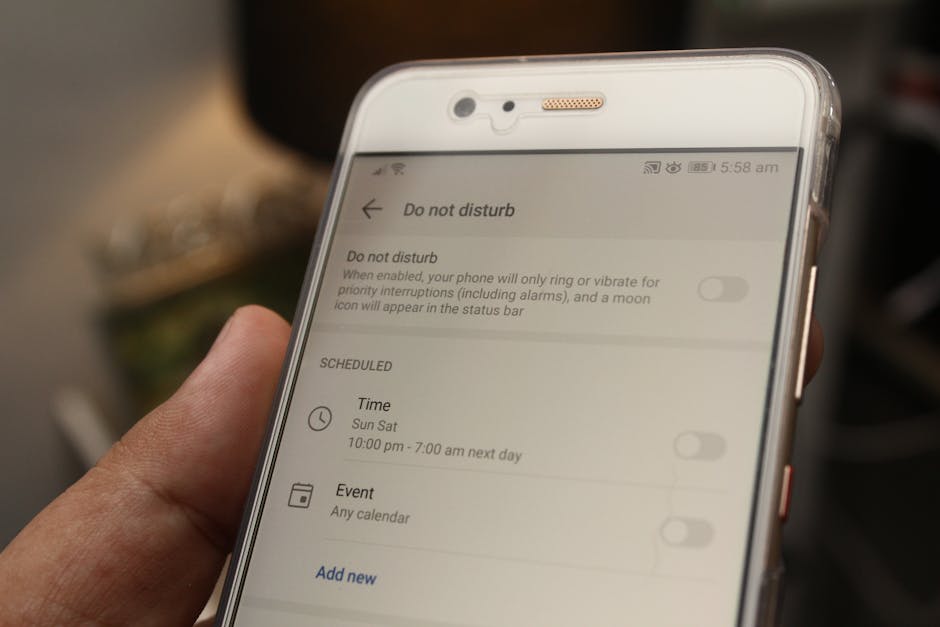
While router and DNS controls are excellent for network-wide protection, device-specific settings offer granular control over individual gadgets. Operating systems like iOS (Screen Time) and Android (Family Link) include robust parental control features ⁶.
These settings allow you to manage app usage, set time limits, restrict in-app purchases, and filter web content directly on smartphones, tablets, and computers. They often provide detailed activity reports for better oversight.
For even more advanced features, consider third-party parental control apps like Qustodio or Bark. These often offer social media monitoring, location tracking, and more sophisticated content filtering, working in conjunction with your Wi-Fi controls ⁷.
- **iOS Screen Time:** Manage app limits, content restrictions, and communication safety.
- **Android Family Link:** Create supervised Google accounts for children, manage app downloads, and track device location.
- **Windows Family Safety:** Filter web content, set app and game limits, and review activity reports on PCs.
Monitoring, Communication, and Digital Citizenship
Technical controls are powerful, but they are most effective when paired with open communication and ongoing monitoring. Regularly discuss online safety with your children, explaining *why* certain controls are in place ⁶.
Periodically review their online activities and adjust settings as they mature and demonstrate responsible online behavior. Remember that parental controls are tools, not replacements for active parenting and guidance ². Encourage them to ask questions and report anything uncomfortable online.
Teach your children about digital citizenship – respecting others online, identifying misinformation, and understanding privacy. This holistic approach empowers them to make smart choices even when parental controls aren't present or can be bypassed ⁸.

Conclusion: A Layered Approach to Online Safety
Setting up parental controls on your home Wi-Fi is a dynamic process that requires a multi-layered approach. Start with your router, enhance it with DNS filtering, and fine-tune it with device-specific settings and apps. This creates a comprehensive safety net.
However, the most effective control is open communication with your children about responsible internet use. Technology evolves, and so should your family's digital safety plan. Regularly review and update your settings as new challenges and tools emerge ¹.
By combining technical solutions with education and trust, you can help your family navigate the digital world safely and confidently. Empower your children to be smart, secure, and respectful online citizens.